Advice and answers from the Rixbo Team
Manage Report lets admins view detailed sales, product, and performance insights in one place. Admins can generate, filter, and analyze reports easily through the dashboard. It helps make smarter decisions, track growth, and boost profits, giving businesses clear visibility and better control over operations.
Log in to the Admin panel and open the Dashboard.
Navigate to POS from the left menu.
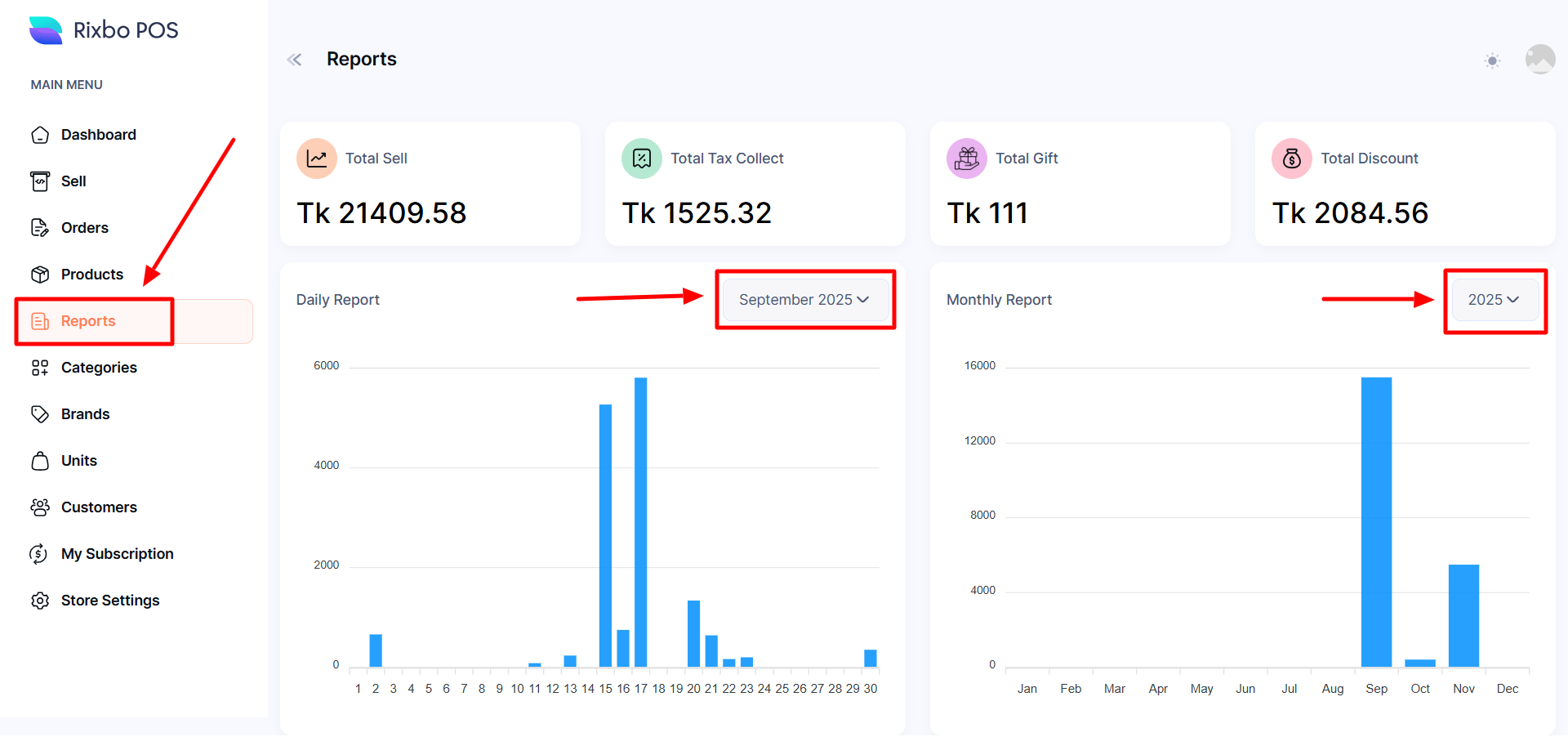
Finally, click Reports from the left menu, and a new window will appear with Total Sales, Total Tax Collection, Total Gift, and Total Discount at a glance.
If you click the month drop-down menu, you can select the month, and the bar chart will display accordingly, daily.
IF you click the year drop-down menu, you can select the year, and the bar chart will display accordingly, monthly.