Advice and answers from the Rixbo Team
Manage My Subscription lets admins easily control plans, billing cycles, and renewals from one place. Admins activate, upgrade, or cancel subscriptions smoothly. The system updates access automatically based on plans. Customers enjoy flexibility, transparency, and uninterrupted service, building trust and long-term loyalty.
Log in to the Admin panel and open the Dashboard.
Navigate to POS from the left menu.
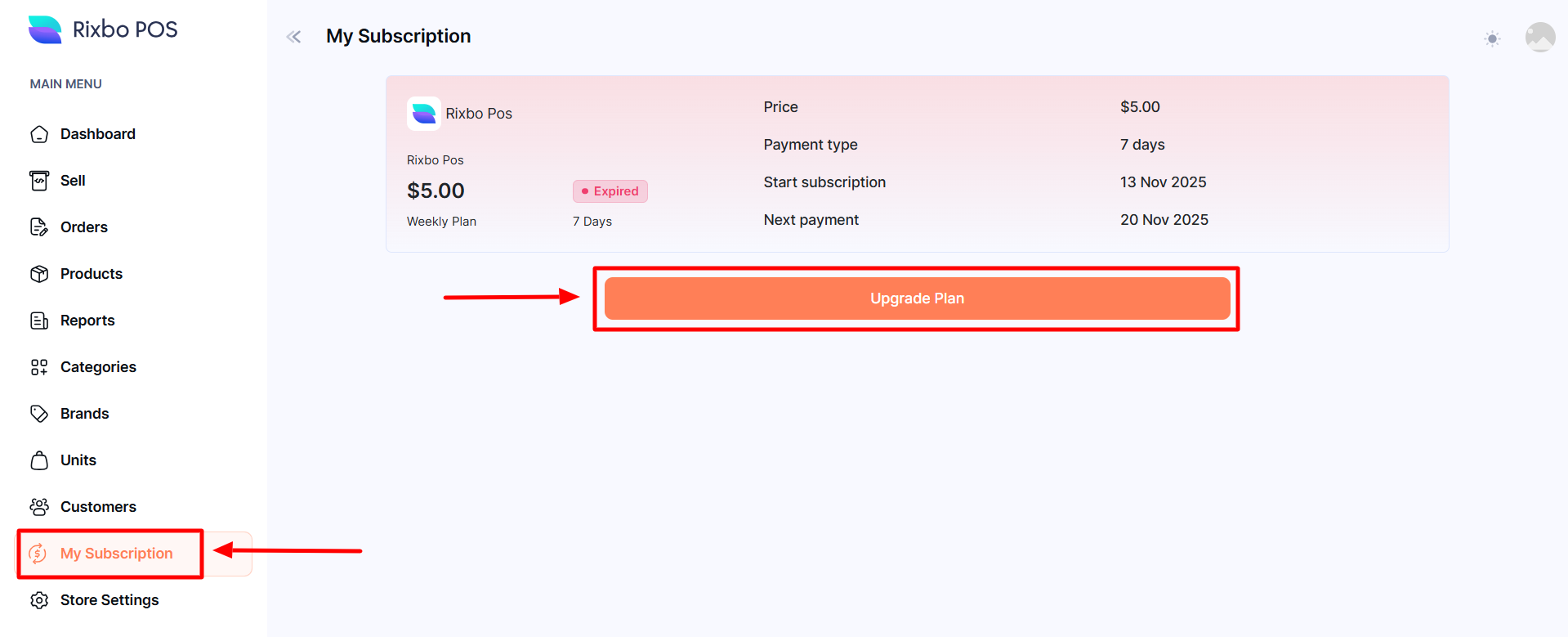
Finally, click My Subscription from the left menu, and a new window will appear.
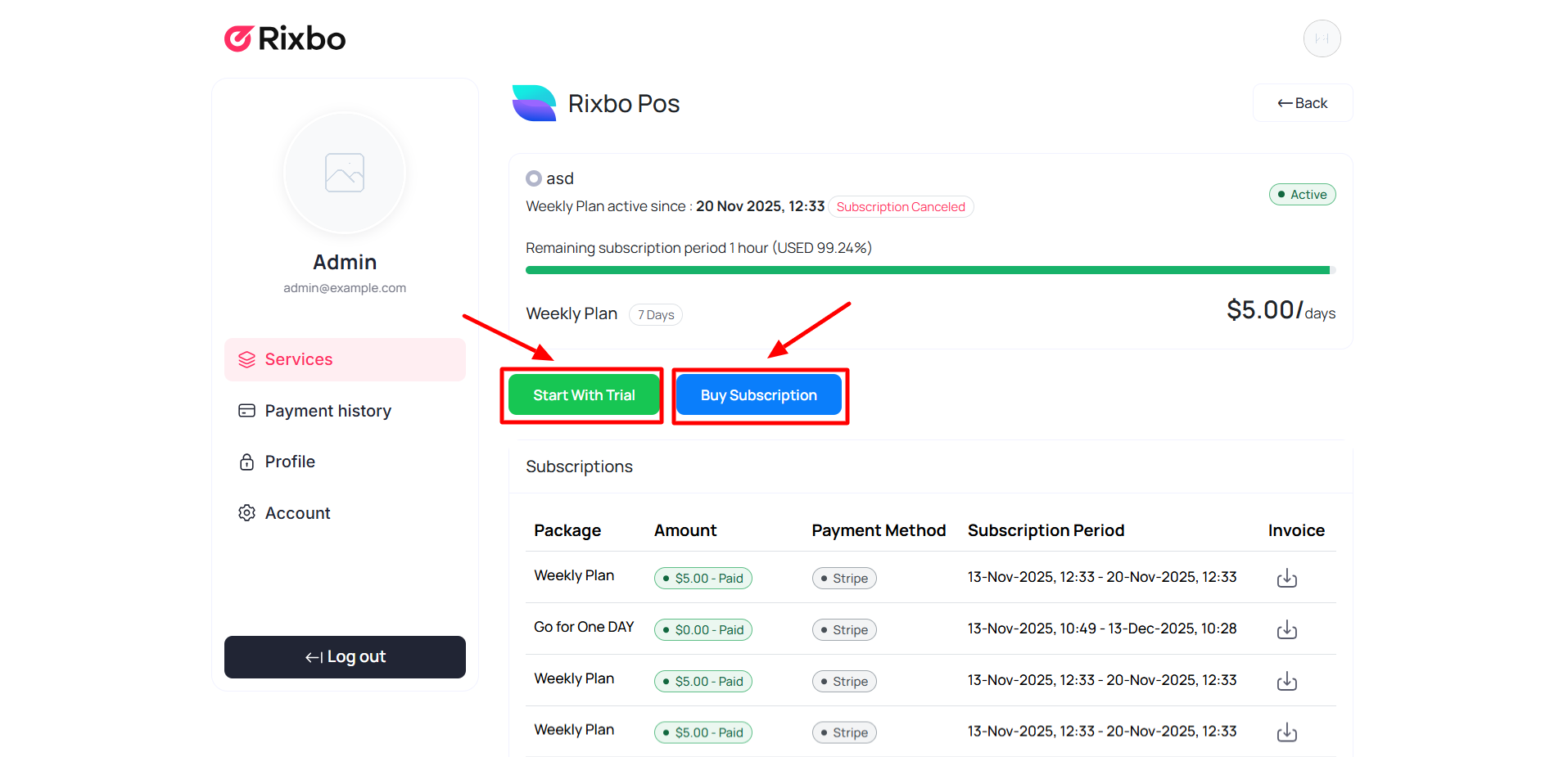
If you click the Upgrade Plan button, a new window will appear with the Start with Trial and Buy Subscription buttons.
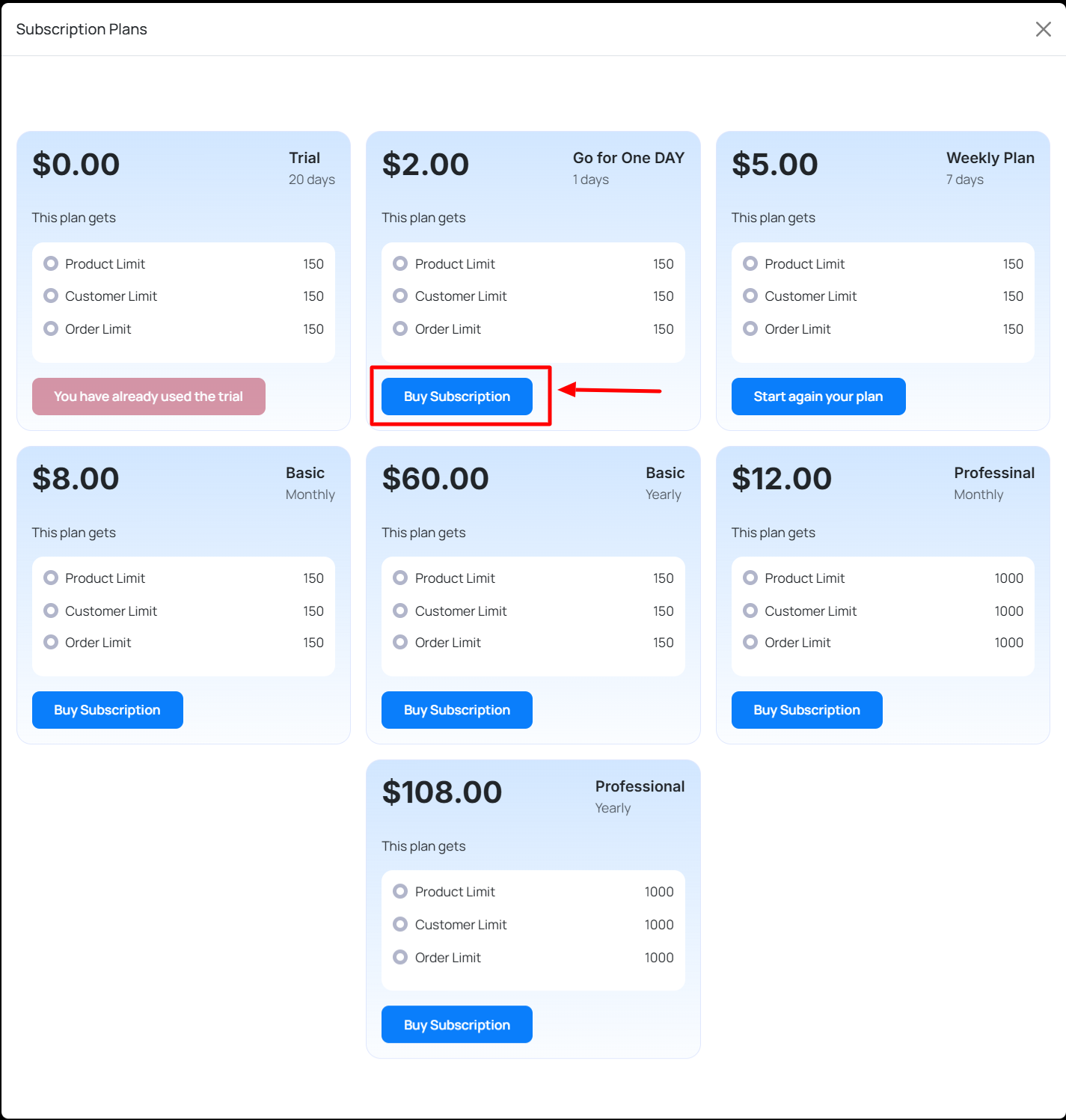
If you click the Start with Trial button, a different subscription plan will appear. You can choose any plan for your trial.
If you click the By Subscription button, a different subscription plan will appear. You can choose any plan for the subscription.